
🎉SUCCESS.
YOU ARE IN.
You’ll receive your email within the next few minutes →
YOUR 4 guides + what's next.
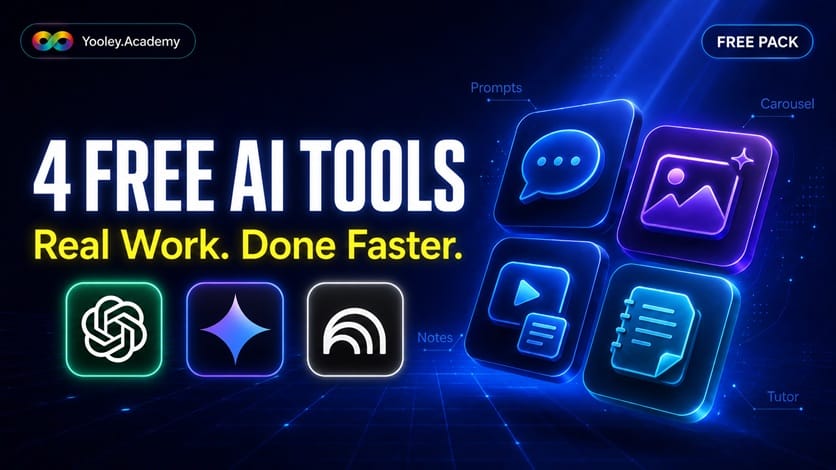
NO WAITING → YOUR 4 GUIDES ARE READY BELOW. 👇
I also sent them to your email → so you can come back anytime.
Check Spam or Promotions and drag the email to "Primary" so you don't miss what's next.
When you're done with the 4 guides → there's a way to go deeper on the two tools that matter most.
It's waiting at the bottom. No rush → your free guides first. 👇
🎯YOUR 4 FREE GUIDES → WATCH, DO, DONE
1. Steal My Brain → 5 ChatGPT Prompts
Steps:
Go to → chatgpt.com (free, no payment needed)
Sign in with Google or email → takes 30 seconds
Copy Prompt #1 below
Paste into ChatGPT → press Enter
Swap the [brackets] for your own info → run again
Repeat with all 5 prompts
The 5 Prompts:
Prompt 1 → The Email Killer
[You are my writing assistant. Rewrite the email below so it is short, clear, and professional. Keep my meaning. Cut the filler. Make it easy to read fast. Give me 2 versions: one friendly, one more formal.
Here is my email: "paste your rough email here" ]
Prompt 2 → The Brain Dump Sorter
[I am going to dump my messy thoughts below. Sort them into a clear, organized list.
Group similar things together. Put them in a logical order.
Tell me what to do first.
Here is my brain dump: "paste everything on your mind here" ]
Prompt 3 → The Reply Helper
[Below is a message someone sent me. Help me reply. First, tell me in one line what they actually want. Then write a clear, polite reply I can send. Keep it short and human. No corporate robot talk. Here is their message: "paste the message you received here"]
Prompt 4 → The "Explain It Simple" Prompt
[Explain the topic below to me like I am smart but busy and new to it.
Use plain words. No jargon. Short sentences.
Give me a simple example I can relate to.
End with the 3 things I really need to remember.
Topic: "paste the thing you don't understand here"]
Prompt 5 → The Meeting-to-Action Prompt
[Below are my rough meeting notes. Turn them into:
1. A short summary (3-4 lines)
2. A clear list of action items → who does what
3. Any decisions we made
Keep it clean and skimmable.
Here are my notes: "paste your meeting notes here"]
BONUS Prompt
Are you using ChatGPT regulary and you want real feedback?
[Confront me based on what you know about me!]
or
[When I present an idea, ask 5 follow-up questions that go deeper than surface-level. Push me to clarify, specify, and refine what I mean.]
→ Stop staring at a blank screen. #YDA
2. Content → Carousel In 5 Minutes (ChatGPT)
Steps:
Go to → chatgpt.com (free)
Copy Prompt 1 below → swap in your topic, goal, and CTA → press Enter
Read the 5-slide plan it gives you → happy? Good.
Copy Prompt 2 → press Enter → your first image appears
Type Make slide 2, then Make slide 3 → all the way to slide 5
Slide looks off? Type → redo that slide, fix the text
Download each image → post as a carousel
Prompt 1 → The Setup (gives ChatGPT the whole plan first)
[You are my carousel designer. We are making a 5-slide Instagram carousel together.
I will ask you to create the images ONE AT A TIME after this.
First, here is the topic: "your topic here"
Goal of the carousel:
"what you want, e.g. teach one thing + get people to save the post"
Now do this:
1. Plan all 5 slides as ONE connected story.
2. For each slide give me: the exact text to show (short, max 8 words)
and a one-line design idea.
3. Keep ONE consistent style across all slides → same colors, same font feel,
same vibe → so they look like a set.
Use this flow:
- Slide 1 → a hook that stops the scroll
- Slides 2 to 4 → one clear tip each
- Slide 5 → a call to action: your CTA, e.g. "Save this post"
Show me the full 5-slide plan first.
Do NOT create any images yet. Wait for me to say "make slide 1".]
Prompt 2 → The Trigger (you send these one by one)
[Make slide 1 now → as a single image, portrait 4:5, ready for Instagram.
Keep the style we agreed. Put the text clearly on the image, easy to read on a phone.]
NOTE: If a slide looks off or a word is misspelled → just type "redo that slide, fix the text" → it tries again.
→ Make posts that look pro, in minutes. #YDA
Liking these? The full ChatGPT + NotebookLM pack is waiting at the bottom → keep going. 👇
3. YouTube → Your Own Notes (Gemini)
Steps:
Go to → gemini.google.com (free, sign in with Google)
Open the YouTube video you want → copy its link from the address bar
In Gemini, paste this:
Here is a YouTube video: [paste link]. Give me the key lessons as short, clear notes I can actually remember. Use simple bullet points. No fluff.Press Enter → Gemini reads the video and writes your notes
Want it shorter? Type: Now give me just the top 5 takeaways.
Copy your notes → save them wherever you keep notes
More Prompts:
Prompt 1 → The Cheat Sheet (turn a long video into one page)
[Here is a YouTube video: "paste link"
Give me a one-page cheat sheet of everything useful in it.
Use short bullet points. Group similar points together.
Skip the intro, the fluff, and the "like and subscribe" parts.
Only the stuff I can actually use.]
Prompt 2 → The Step-by-Step (for how-to / tutorial videos)
[Here is a YouTube video: "paste link"
This is a how-to video. Pull out the exact steps in order.
Number them 1, 2, 3...
Keep each step short and clear, like instructions I can follow.
If they mention any tool, setting, or link → include it.]
Prompt 3 → The "Explain It To Me" (for hard / technical videos)
[Here is a YouTube video: "paste link" Explain what this video is about like I am smart but new to the topic. Use plain words. No jargon. Then give me the 3 most important things to remember. If something is complicated, give me a simple example.]
NOTE: If Gemini says it can't open the video → copy the video's transcript (click "..." under the video → Show transcript → copy it) → paste that into Gemini instead.
→ Watch less. Actually remember it. #YDA
4. Your Private AI Tutor (NotebookLM)
Steps:
Go to → notebooklm.google.com (free, sign in with Google)
Click Create new → New notebook
Click Add source → upload your files (PDF, Word, notes → even a photo or scan of paper with text/content works)
Wait a few seconds → it reads everything
In the chat box, ask anything about YOUR files, like:
"Explain this in simple words". or "What are the 3 main points?" or "Make me a study summary."It answers → only from your files → no made-up nonsense
More Prompts:
Prompt 1 → The Meeting Prep (walk in ready, not scrambling)
[I have a meeting about: [topic / project name]
Based only on my sources, prepare me for it. Give me:
1. A short briefing → what I need to know, in plain words
2. The key facts, numbers, and decisions already made
3. Open questions or things still unresolved
4. 3 smart questions I should ask in the meeting
5. Anything I should be careful about or not forget
Keep it tight and skimmable → I want to read it in 2 minutes before I walk in.]
Prompt 2 → The Quick Summary (just tell me what's in this)
[Summarize my sources in plain, simple words.
Give me the 5 most important points.
Pretend you are explaining it to a busy person who has no time.]
Prompt 3 → The Study Guide (learn it / remember it)
[Turn my sources into a simple study guide.
Include: the key terms with short meanings, the main ideas,
and 5 questions I should be able to answer.
Keep it clean and easy to review.]
Prompt 4 → The "Ask Like a Human" (get a straight answer)
[Based only on my sources, answer this question:
"your question here"
Answer in plain words. If the answer is not in my files, just tell me
"it's not in your sources" → do not make anything up.]
Prompt 5 → The Action Finder (for reports, contracts, manuals)
[Look through my sources and pull out anything I need to ACT on:
deadlines, tasks, rules, important numbers, or things I must not miss.
List them clearly so I don't overlook anything.]
Prompt 6 → The Compare (when you upload 2+ documents)
[I uploaded more than one source. Compare them.
What do they agree on? Where do they differ?
Show it as a simple side-by-side list.]
Bonus move:
Click Audio Overview → it turns your files into a podcast you can listen to. (Free: a few per day.)
→ Like an expert who only knows what you need. #YDA
LIKED THOSE? HERE'S THE NEXT STEP 👇
You just got tricks for ChatGPT, Gemini and NotebookLM.
THAT WAS THE TRAILER
Now → the full moves on the two tools that matter most → ChatGPT + NotebookLM. Plus a Gemini bonus. 👇
The AI Quick-Start Pack gives you both tools → the core moves.
The exact functions, settings, and shortcuts I use every day
→ no fluff, no 3-hour rabbit holes.
Plus 50 Steal-My-Brain prompts → sorted by job, ready to paste.
The fastest way from "I kind of get it" →
to "I run these two like a pro."
What is included:
ChatGPT → the moves that actually matter → 5h of video guides
NotebookLM → set up + real use, start to finish → 1h of video guides
50 ready-to-paste prompts → sorted by job
Short videos + simple guides → "Click here. Do this. Done."
🎁 Bonus → Gemini Deep Research → your free AI research assistant
Just $27. One time. Yours for life🎯
Not ready? No problem → your 4 free guides are yours to keep. Use them first. #YDA
Copyright 2026 - #YDA - Yooley Digital Academy